CVE-2026-109618-109619 Vulnerability on cPanel&WHM
CVE-2026-109618-109619 Vulnerability
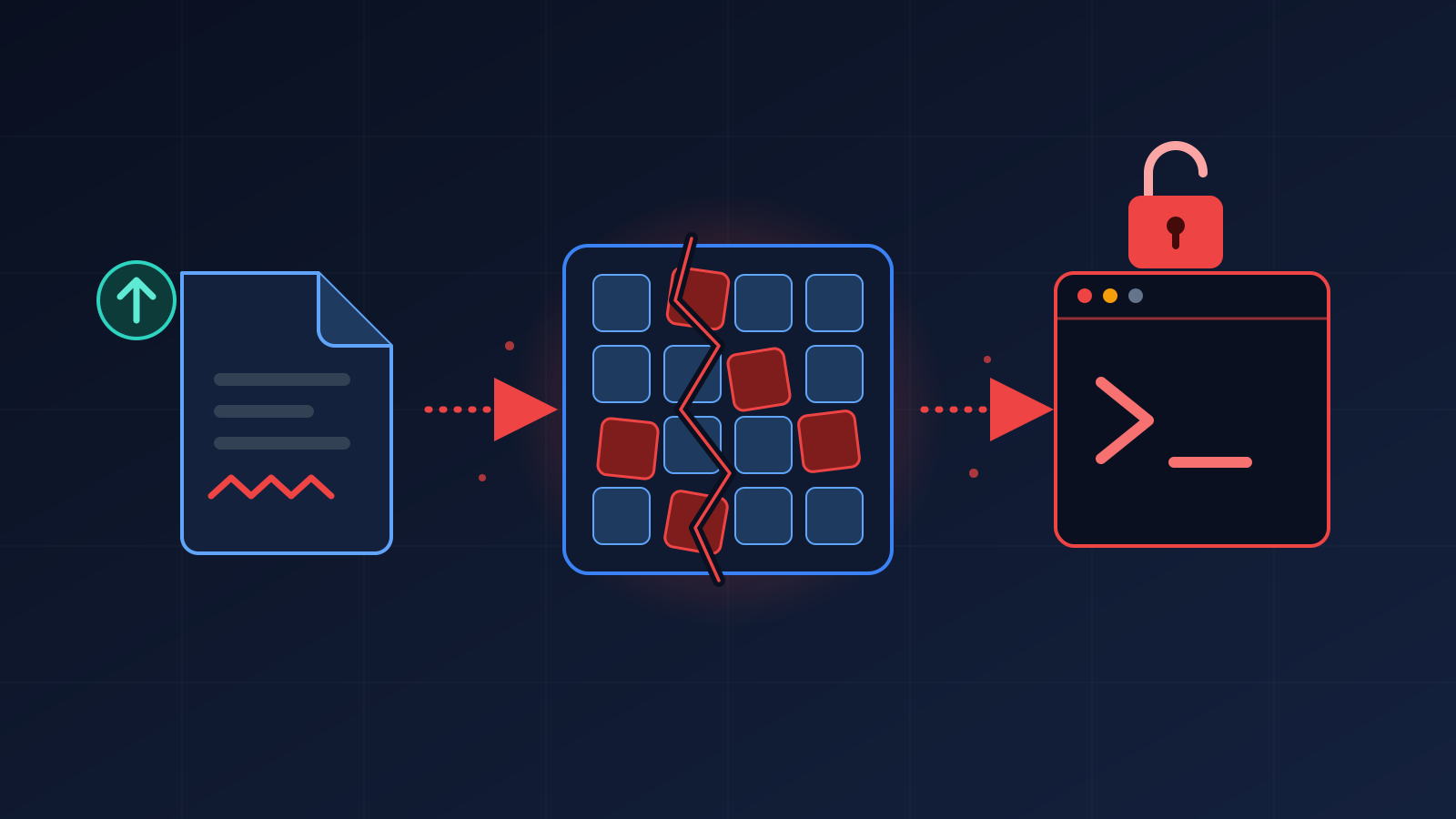
Every hosting provider running cPanel & WHM has quietly agreed to trust one thing: that a crafted web request can’t talk its way into running code on the server. CVE-2026-109618 and CVE-2026-109619, nicknamed PHP2Shell, are a crack in that trust. They are two flaws in PHP itself, both rated 9.2 (critical), that let an attacker run code on a server with a crafted HTTP request, without signing in.
On a shared cPanel server that is close to a worst-case scenario: one vulnerable site on a node can become a way into every other account on it. PHP parses multipart upload bodies before any application script runs, so a perfectly well-written WordPress or Laravel site is still in scope.
The good news is that cPanel moved fast. This post covers what the fix changes, why a single update command is not enough on cPanel, and the exact sequence we use to roll it out one server at a time.
- CVE-2026-109618 and CVE-2026-109619 allow unauthenticated remote code execution through crafted multipart/form-data POST requests.
- Upstream fixed versions: PHP 8.5.12, 8.4.27, 8.3.36 and 8.2.35. On cPanel they arrive as EasyApache 4 build 25.91 (ea-php82 to ea-php85).
- cPanel also reports backported fixes for ea-php74, ea-php80 and ea-php81, which keep their old version numbers. Verify them through the package changelog, not php -v.
- cPanel has two separate PHP layers: the EasyApache packages that serve your customers’ sites, and cPanel’s own internal PHP. Update both.
- PHP’s own release notice says there are no complete mitigations. Config tweaks only buy time.
- After updating, restart PHP-FPM and Apache so no old worker keeps running.
Why This One Actually Matters
Most PHP CVEs need something extra: a vulnerable plugin, a logged-in user, an unusual setting. This one doesn’t. At least one of the flaws has been linked to session.upload_progress, which is enabled by default, so stock configurations can be in scope. CISA and the FBI both publicly urged organizations to patch immediately, and some vendors have reported exploitation in the wild.
On a shared server, one unpatched PHP runtime means every account on the box inherits the risk.
Read the primary sources directly rather than relying on secondhand summaries, including this one:
- cPanel’s EasyApache 4 change log and release notes (WHM > Software > EasyApache 4, and cPanel’s documentation site)
What’s Actually Going Wrong
Public analysis of the fix commit points to a memory-handling problem. When PHP runs out of memory while parsing a multipart upload, it used to bail out abruptly without cleaning up, leaving dangling pointers and uncleaned global state. The next request handled by that worker then starts on top of corrupted state.
Think of a restaurant kitchen where one cook walks away mid-task, leaving knives out and burners on, and the next cook carries on from there. Attackers try to steer that mess toward running their own code. The fix adds a clean unwinding path so a failed allocation tidies up after itself.
Why cPanel Needs More Than One Update
This is the part that catches people out. A cPanel server doesn’t have “a PHP”. It has several, and each is patched differently:
| PHP layer | What it serves | How it gets fixed |
| EasyApache 4 (ea-php74 to ea-php85) | Your customers’ websites, via MultiPHP and PHP-FPM | EasyApache 4 build 25.91 packages. Update with dnf/yum. |
| cPanel’s internal PHP | cPanel, WHM and webmail interfaces | cPanel & WHM update (upcp). Check cPanel’s release notes for your tier. |
| CloudLinux alt-php (if used) | Sites using PHP Selector | CloudLinux’s own alt-php packages. Check CloudLinux’s incident page. |
| php on the command line | Only what you type in SSH | Can be a different build than the one serving pages. Don’t trust it alone. |
One more trap reported by admins: running /scripts/upcp –security updated cPanel’s internal PHP but did not always pull the EasyApache packages. We always update the ea-php packages by name as well.
What the Fix Does
The remediation is a package update that closes the problem at the source. The stopgaps are weaker than they look:
- Setting session.upload_progress.enabled=0 is listed as a mitigation for CVE-2026-109619 only. CVE-2026-109618 is a separate path this setting does not block.
- On PHP 8.5, fatal_error_backtraces=0 blocks only one confirmed path.
- Blocking all multipart/form-data requests breaks every legitimate upload on every site.
If you truly cannot patch today, you can set the upload-progress option in WHM > MultiPHP INI Editor and restart PHP-FPM. Treat it as a bandage and schedule the real update.
Rolling It Out Without Breaking Anything
1. Get a baseline
Check the cPanel version and which EasyApache PHP versions are installed:
cat /usr/local/cpanel/version
ls /opt/cpanel/ | grep ea-php
Check the version of each installed PHP directly (repeat for every ea-php directory you have):
/opt/cpanel/ea-php83/root/usr/bin/php -v
/opt/cpanel/ea-php84/root/usr/bin/php -v
/usr/local/cpanel/3rdparty/bin/php -v # cPanel’s internal PHP
Then see which PHP version each domain actually uses in WHM > MultiPHP Manager. A patched ea-php84 helps nobody if the busy sites are still assigned to an old branch.
Anything below 8.5.12 / 8.4.27 / 8.3.36 / 8.2.35 on a supported branch is exposed.
2. Check whether a fix is already in the package
Backported branches keep their old version number, so look for the CVE IDs in the package changelog instead of trusting the version string:
rpm -q –changelog ea-php84-php-fpm | grep -E ‘CVE-2026-10961[89]’
rpm -q –changelog ea-php81-php-fpm | grep -E ‘CVE-2026-10961[89]’
No output means that package does not carry the fix yet.
3. Update EasyApache 4 packages
Make sure nothing else is mid-update, then refresh the metadata and update every ea-php package by name:
ps aux | grep -E ‘upcp|yum|dnf’ | grep -v grep
# AlmaLinux / Rocky / CloudLinux 8+
dnf clean all && dnf upgrade ‘ea-php*’
# CentOS 7 / CloudLinux 7
yum clean all && yum update ‘ea-php*’
Don’t run it twice “just in case” while the first run is going, and don’t interrupt it. If it errors, save the full output before touching anything else.
4. Update cPanel & WHM itself
cPanel’s release notes list the security update for cPanel & WHM separately from EasyApache 4. Run the normal update and confirm automatic updates are on:
/scripts/upcp –force
/usr/local/cpanel/3rdparty/bin/php -v
You can review the schedule in WHM > Server Configuration > Update Preferences.
5. CloudLinux servers
If you run CloudLinux, the ea-php packages and the alt-php packages used by PHP Selector are separate sets. Update both and follow CloudLinux’s incident page for status.
dnf upgrade ‘alt-php*’ # yum update ‘alt-php*’ on CloudLinux 7
6. Restart, then verify
Long-lived PHP-FPM workers keep running old code until they’re restarted. Restart PHP-FPM and Apache with cPanel’s own scripts:
/scripts/restartsrv_apache_php_fpm
/scripts/restartsrv_httpd
Now repeat your baseline and confirm the changelog entries, plus service health and failed units:
echo “===== CPANEL =====” && cat /usr/local/cpanel/version
echo “===== EA-PHP =====” && ls /opt/cpanel/ | grep ea-php
echo “===== CHANGELOG =====” && for p in $(rpm -qa “ea-php*-php-fpm”); do echo $p; rpm -q –changelog $p | grep -E “CVE-2026-10961[89]”; done
echo “===== FPM MASTERS =====” && ps -eo pid,lstart,cmd | grep “php-fpm: master” | grep -v grep
echo “===== FAILED UNITS =====” && systemctl –failed
The FPM master start times should be after your update. If a master process is older than the patch, it’s still running old code.
Questions We Got Asked Internally
“Does this upgrade the OS too?”
No. It only touches the ea-php packages and cPanel itself. Your kernel and OS release stay exactly as they were.
“Do we need to reboot?”
No. Restart PHP-FPM and Apache with the cPanel scripts and verify. An unnecessary reboot on a production shared node is a risk you don’t need to take.
“Some customers are on PHP 7.4, 8.0 or 8.1. Are they safe?”
Upstream PHP has no official fix for those branches. cPanel reports backports for ea-php74, ea-php80 and ea-php81 in EasyApache 4 25.91, but sources have disagreed on 8.1, so confirm with the changelog check above. Older branches such as ea-php73 and below have no cPanel fix, so move those customers to a supported version. Third-party extended-support options exist if a customer truly can’t migrate.
“Is switching a domain’s PHP version in MultiPHP enough?”
No. The server’s ea-php package must be patched first. Then each domain must be assigned to a patched branch.
“Is turning off session.upload_progress enough?”
No. It covers part of one of the two CVEs.
“We run Imunify360 or a WAF. Are we covered?”
They add a useful layer and may block known exploit patterns, but they don’t fix PHP. Patch anyway.
What to Watch For
- Large or unusual multipart POST requests in Apache domlogs (/var/log/apache2/domlogs/).
- PHP-FPM workers crashing or respawning, usually visible in the FPM error log (typically /opt/cpanel/ea-phpXX/root/usr/var/log/php-fpm/error.log) and as a spike in 500/502 errors.
- New files you don’t recognize in customer web roots, or new cron jobs.
If you find any of those on a server that hadn’t been patched, treat it as a possible compromise: patch, then investigate, not the other way around.
Where This Leaves Us
Patching PHP2Shell on cPanel isn’t complicated. It’s a couple of update commands, a restart, and the discipline to cover every PHP layer on every server. If you haven’t checked yet, this is the first command to run today:
rpm -q –changelog ea-php84-php-fpm | grep -E ‘CVE-2026-10961[89]’
No match, or an old version on a supported branch, means a clear next step. Then read PHP’s official advisory and cPanel’s EasyApache 4 change log in full.